Support guides

Important support information shouldn’t live only in memory.


What helps them calm down, communicate, or avoid overwhelm matters.

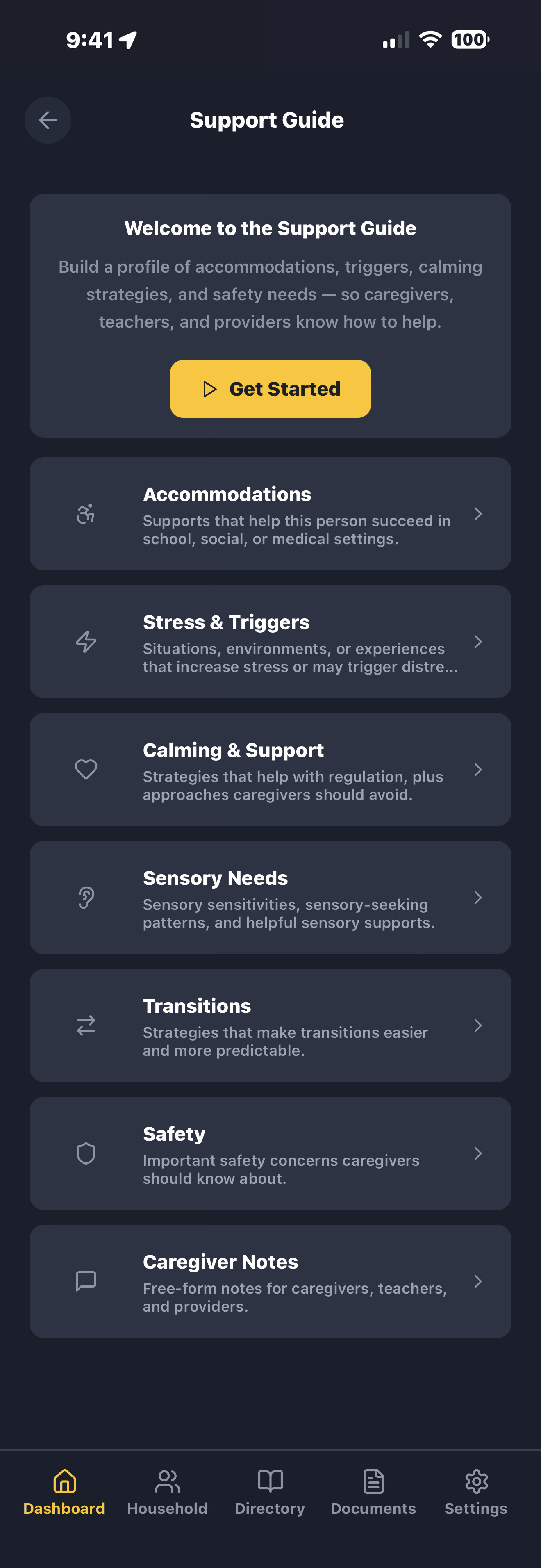
Keep calming strategies, sensory preferences, accommodations, transition reminders, and caregiver notes organized in one place.

Helpful for parents, caregivers, teachers, family members, respite care, camps, and anyone supporting your child or loved one in daily situations.

Calming strategies

What helps matters.

Deep pressure, weighted blankets, specific music, breathing exercises, quiet spaces, favorite comfort items — every calming strategy that works for your child or loved one, written down in one place. When a teacher, therapist, or babysitter needs to help during a difficult moment, they don't have to guess.

Document what works, what doesn't, and what makes things worse. Share with every new caregiver so they start with understanding instead of trial and error.

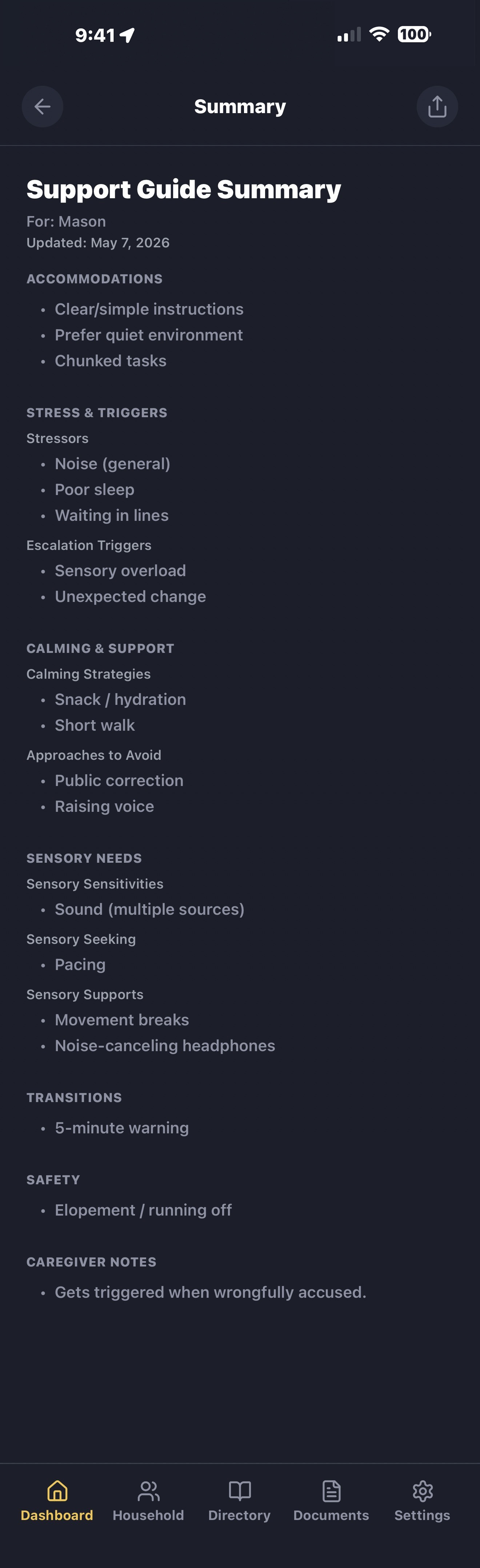
LifeVault support guide showing calming strategies, sensory preferences, and behavioral supports
Accommodations & sensory supports

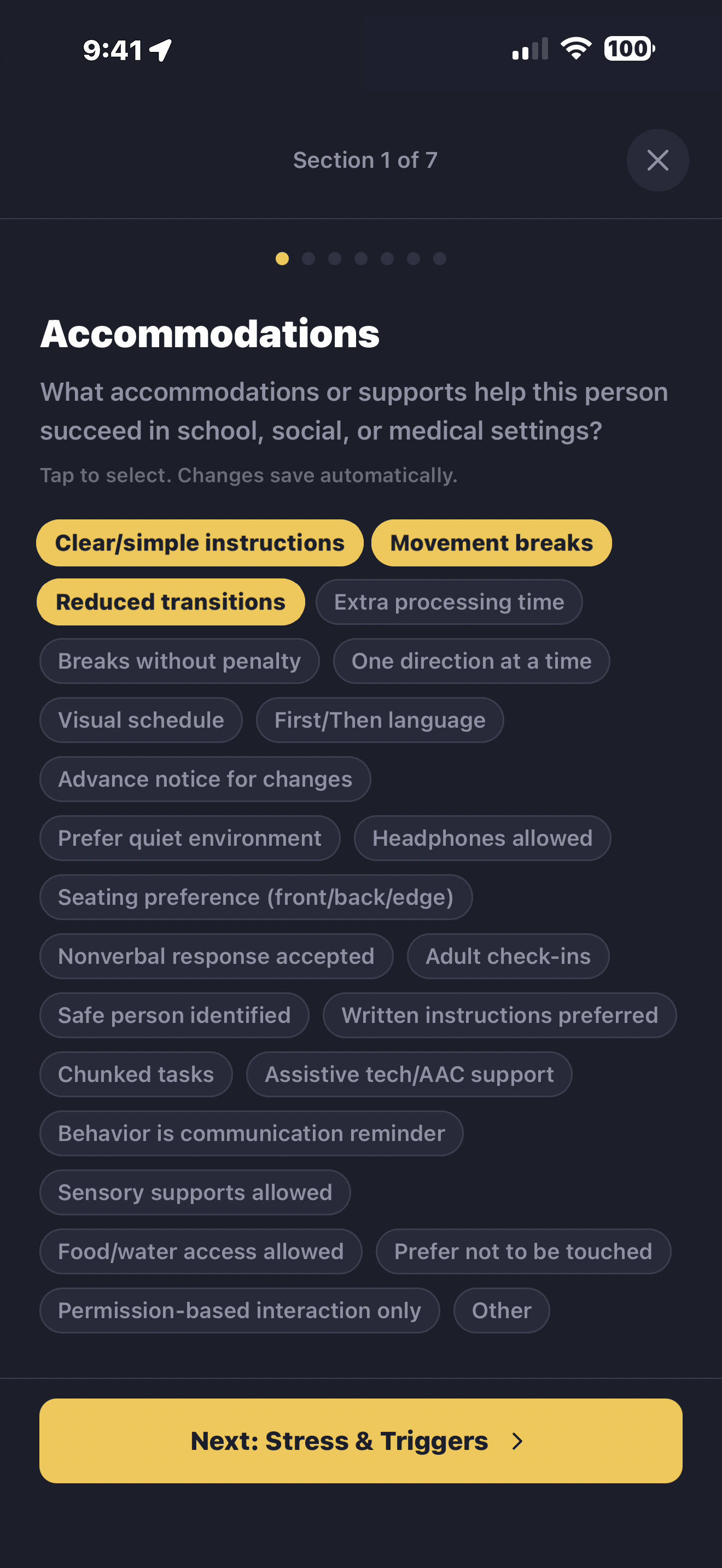
Sensory needs & accommodations

Noise sensitivity, light preferences, texture aversions, seating needs, transition warnings, communication preferences — each accommodation documented with context and instructions so caregivers, teachers, and therapists understand what your child or loved one needs to feel safe and supported.

  • Sensory preferences Sound, light, texture, temperature, and movement preferences — what helps, what overwhelms, and how to adjust the environment.
  • Communication supports Communication preferences, helpful reminders, calming approaches, and support notes that can help others communicate more comfortably and effectively.
  • Environmental accommodations Seating preferences, classroom modifications, quiet space needs, transition schedules, and break routines.
LifeVault profile with customizable support sections showing accommodations and preferences
Transitions & change

Help them through changes.

Keep transition reminders, support preferences, calming strategies, safety notes, and caregiver context easy to access when routines change or someone new needs to help.

LifeVault support guide summary showing transition reminders, calming strategies, and caregiver notes
Caregiver instructions

Stop re-explaining everything.

LifeVault makes it easier to share calming strategies, accommodations, sensory preferences, caregiver notes, important contacts, and other helpful support details in one organized summary.

Helpful for babysitters, substitute teachers, family members, respite caregivers, camps, travel, and other support situations where familiarity and consistency matter.

School & program coordination

Help new teachers understand what works.

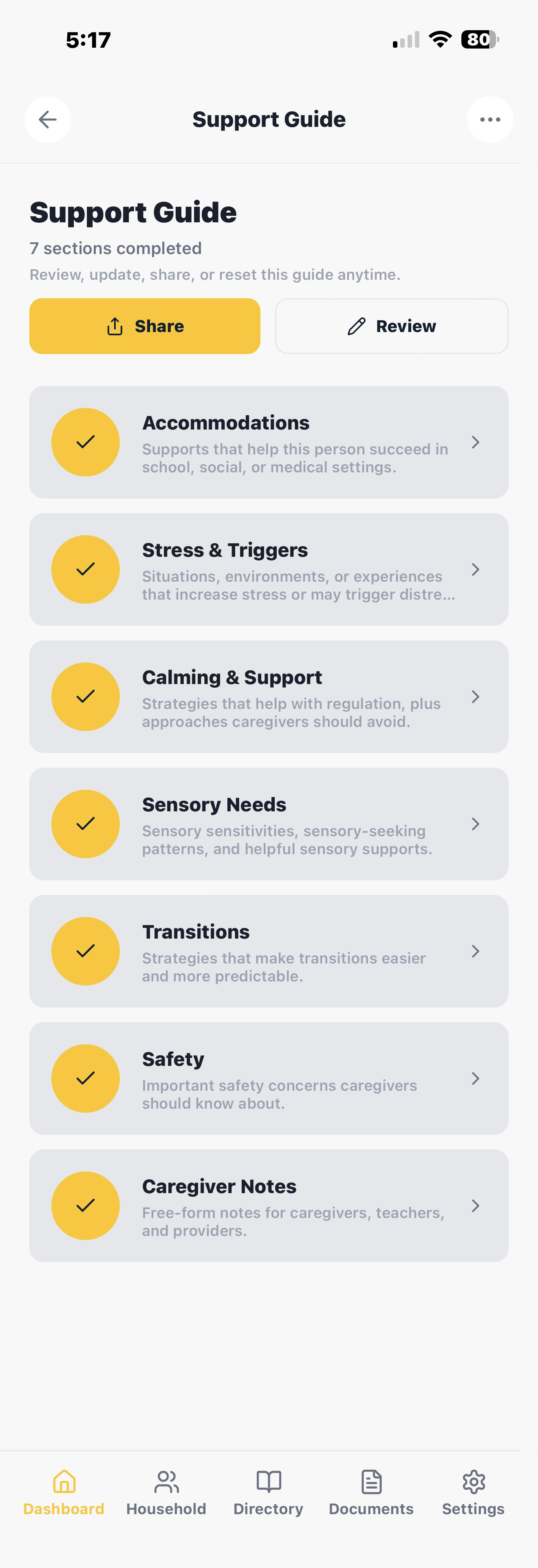
Accommodations, calming strategies, sensory preferences, and important contacts — organized in one place and shareable as a PDF with a teacher, aide, or substitute at the start of the year, before a trip, or whenever someone new steps in.

LifeVault share screen generating a support guide PDF with accommodations, routines, and caregiver instructions
Support guide questions

Common questions.

What kind of support information can I organize in LifeVault?

Calming strategies, sensory accommodations, daily routines, behavioral triggers, medication instructions, communication preferences, transition protocols, dietary needs, and emergency contacts. Each section is structured, searchable, and shareable as a PDF.

Can I share support guides with teachers and caregivers?

Yes. Generate a clean PDF with the sections a teacher, babysitter, or therapist needs. Choose what to include — calming strategies, medication schedules, sensory needs, routines — and send through text, email, or AirDrop. Update the source and every future export reflects the changes.

Does LifeVault replace formal care, school, or medical plans?

No. LifeVault helps organize and share support information, preferences, notes, and contacts. It is not a replacement for formal educational, legal, or medical documentation.

Is support information private and secure?

Yes. Your records stay on your device. LifeVault doesn't upload your personal information to any server, doesn't sell data, and doesn't require an account. You decide what to share, with whom, and when. Sensitive support information stays private until you choose to export it.
Document what matters most.

Join families already using LifeVault to organize support information, caregiver instructions, and what a teacher or therapist needs to know. Free beta on iOS.