How LifeVault works

Snap a document.
LifeVault does the organizing.

Take a photo of an insurance card, prescription, vaccine record, passport, or ID and LifeVault automatically organizes the important information into structured, searchable records for the right person or pet. Less typing. More structure. No scattered notes.

Step 1

Snap a photo of a document.

Take a photo of a prescription label, an insurance card, a vaccination record, a passport, a birth certificate — or any of the 90+ document types LifeVault supports. You can also upload an existing photo or PDF from your camera roll.

No need to crop, align, or clean up the image. LifeVault's on-device document reader handles real-world photos — angled, folded, partially obscured. It finds the information that matters.
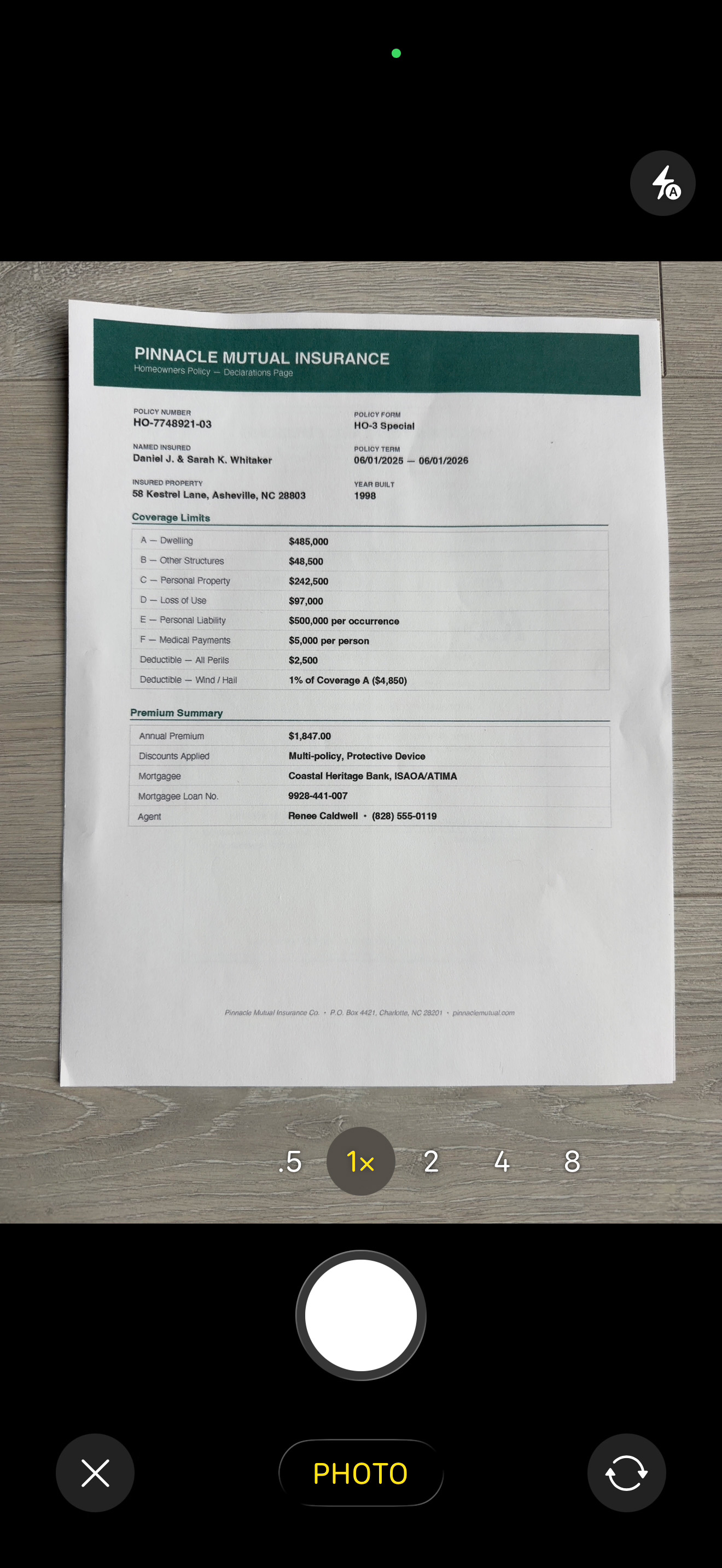
LifeVault camera view scanning a document
Step 2

LifeVault reads it and
organizes the details.

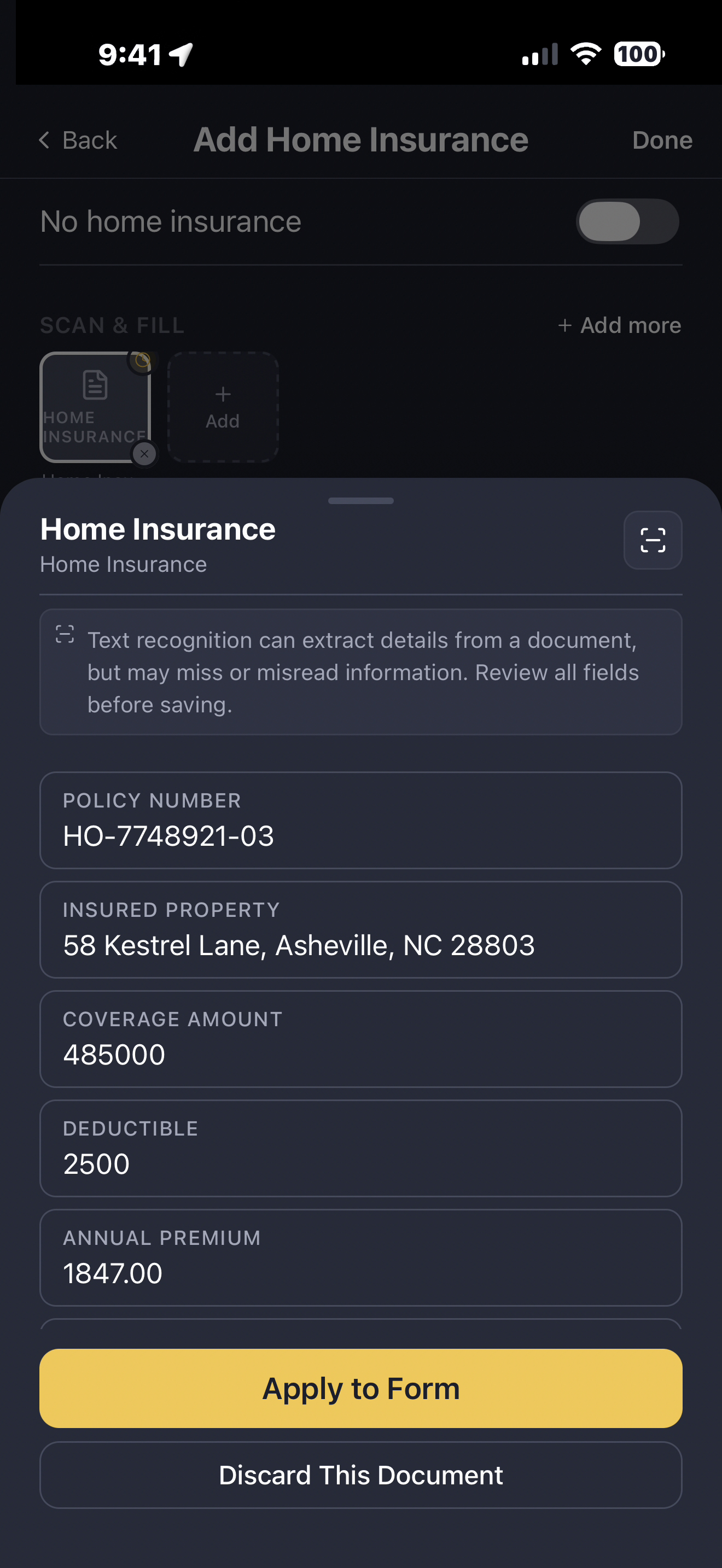
Names, dates, dosages, policy numbers, group numbers, prescriber names — automatically extracted and pre-filled into the correct fields, ready for you to review before saving. Less manual entry. Less deciding what goes where.

This isn't a generic file scanner. LifeVault understands the structure of medical records, insurance cards, prescriptions, and identification documents. It knows that a policy number belongs in the policy number field, that a dosage belongs with the medication, and that a doctor's name links to a contact.

LifeVault reading and extracting details from a home insurance document
Step 3

Review, confirm, and it's saved and searchable.

Review the extracted fields, edit anything that needs adjusting, and the record is instantly linked to the right family member or pet. LifeVault sets reminders when prescriptions need refilling, insurance cards expire, or vaccinations come due.

Every record becomes searchable. Need to find Mason's pediatrician's number during an ER visit? Search "Mason pediatrician" and it's there. Need Lucky's vaccination records for boarding? Two taps.

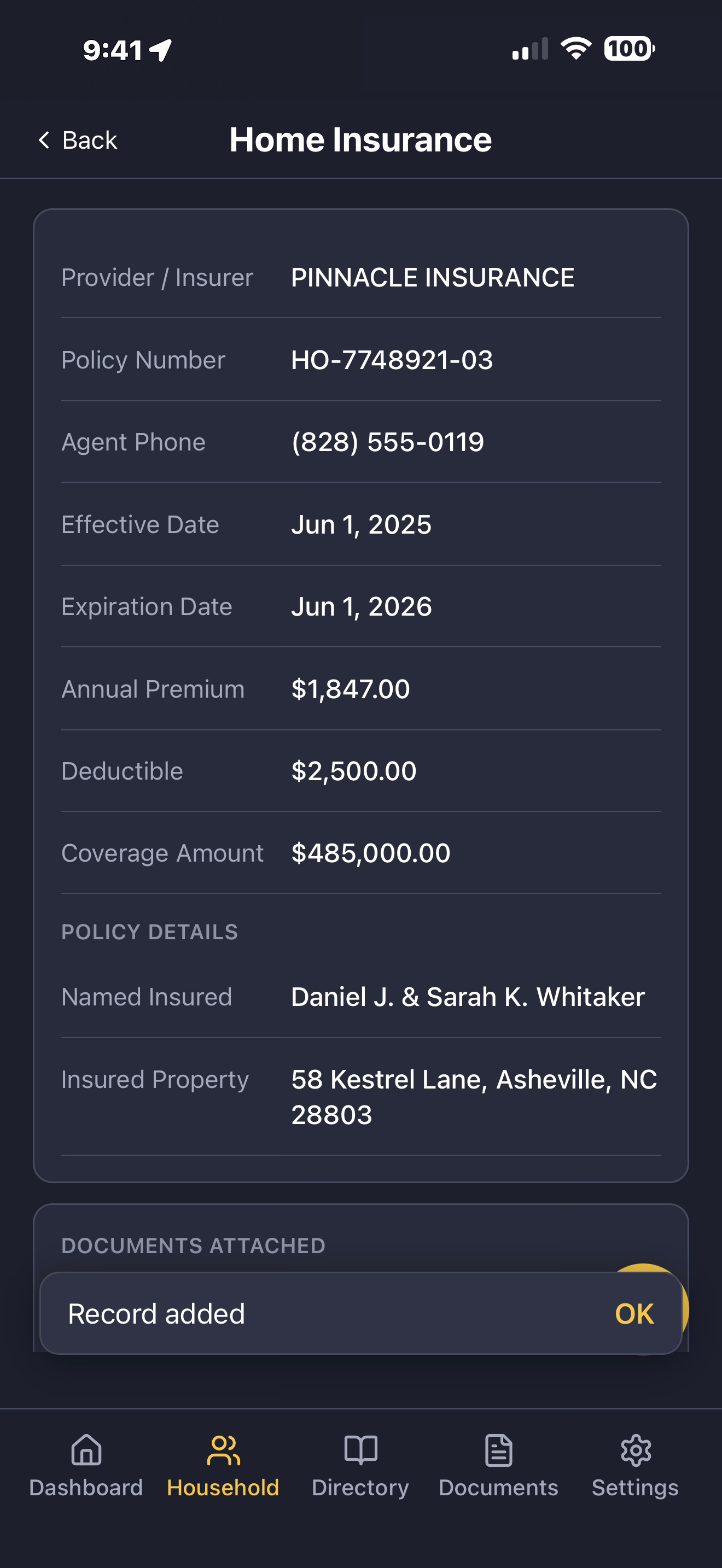
Home insurance record organized into structured, editable fields in LifeVault
Structured profiles

Every record linked to the right person or pet.

LifeVault doesn't just store documents — it organizes information into profiles. Each family member and pet gets their own profile with medical records, insurance, emergency contacts, and more. Search by person, filter by record type, find what you need quickly.

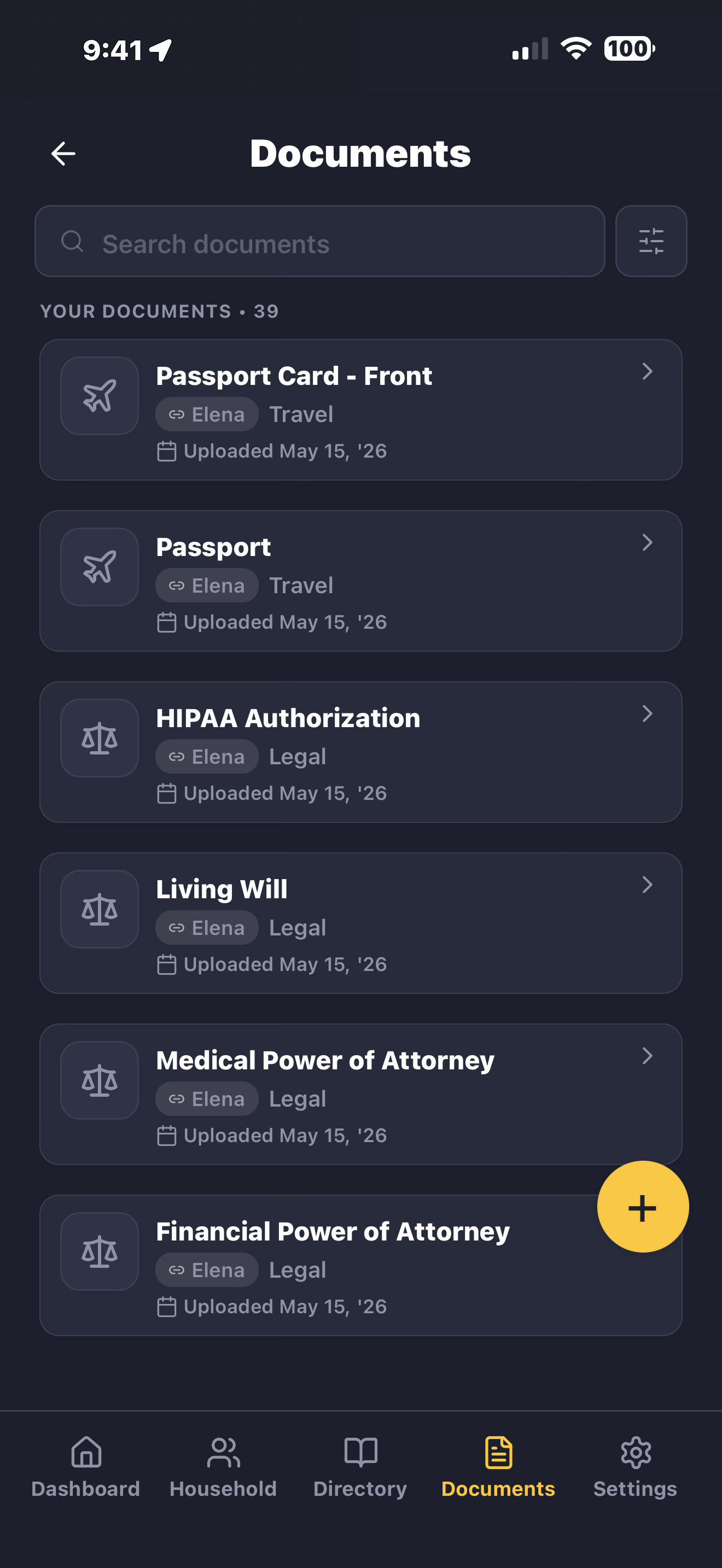
LifeVault Documents screen showing organized, searchable records linked to family member profiles
Share instantly

Generate a shareable PDF in seconds.

When you need to share information — with a doctor, a caregiver, a school, or a pet sitter — LifeVault generates a clean PDF with the sections you choose. Send through any app on your phone. No hunting through paperwork.

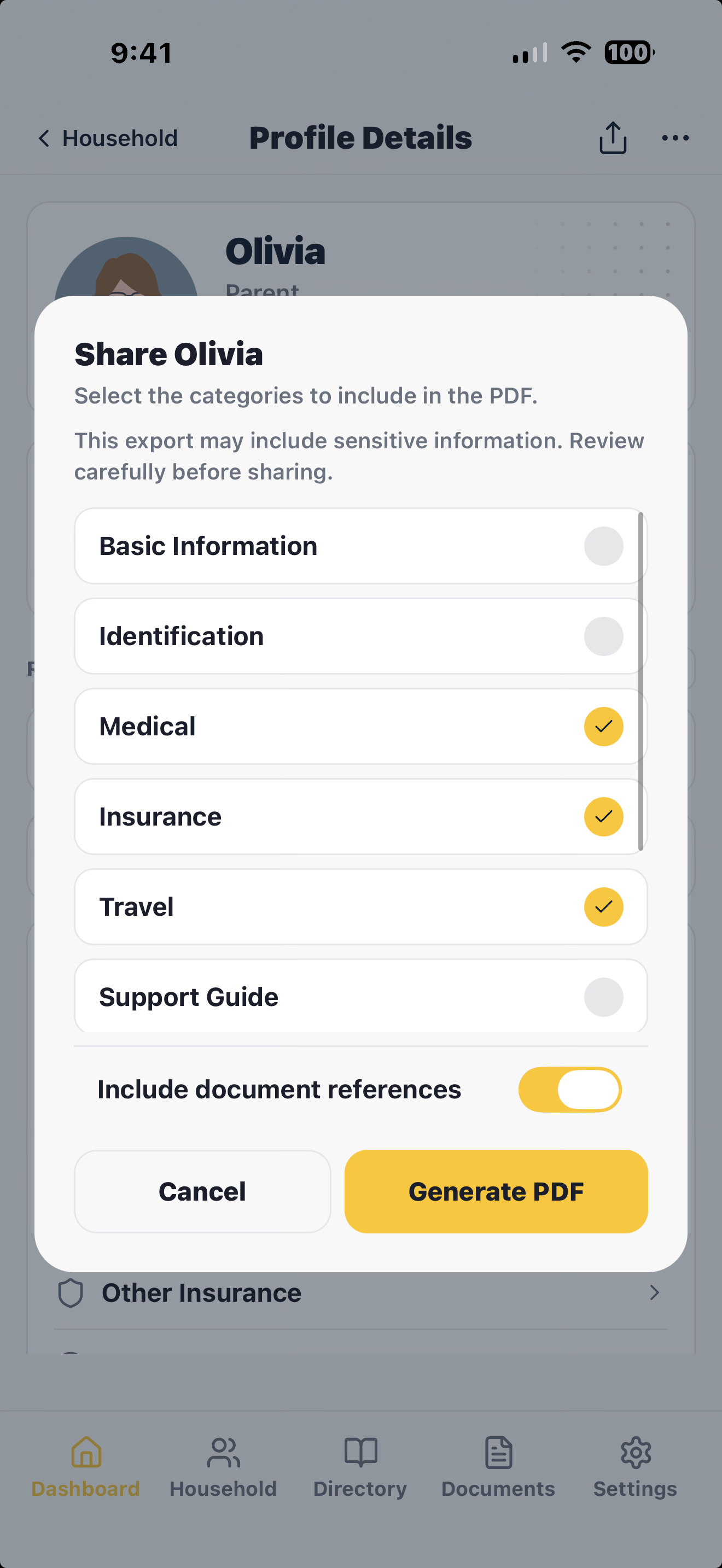
LifeVault share screen generating a PDF profile summary to send via text, email, or AirDrop
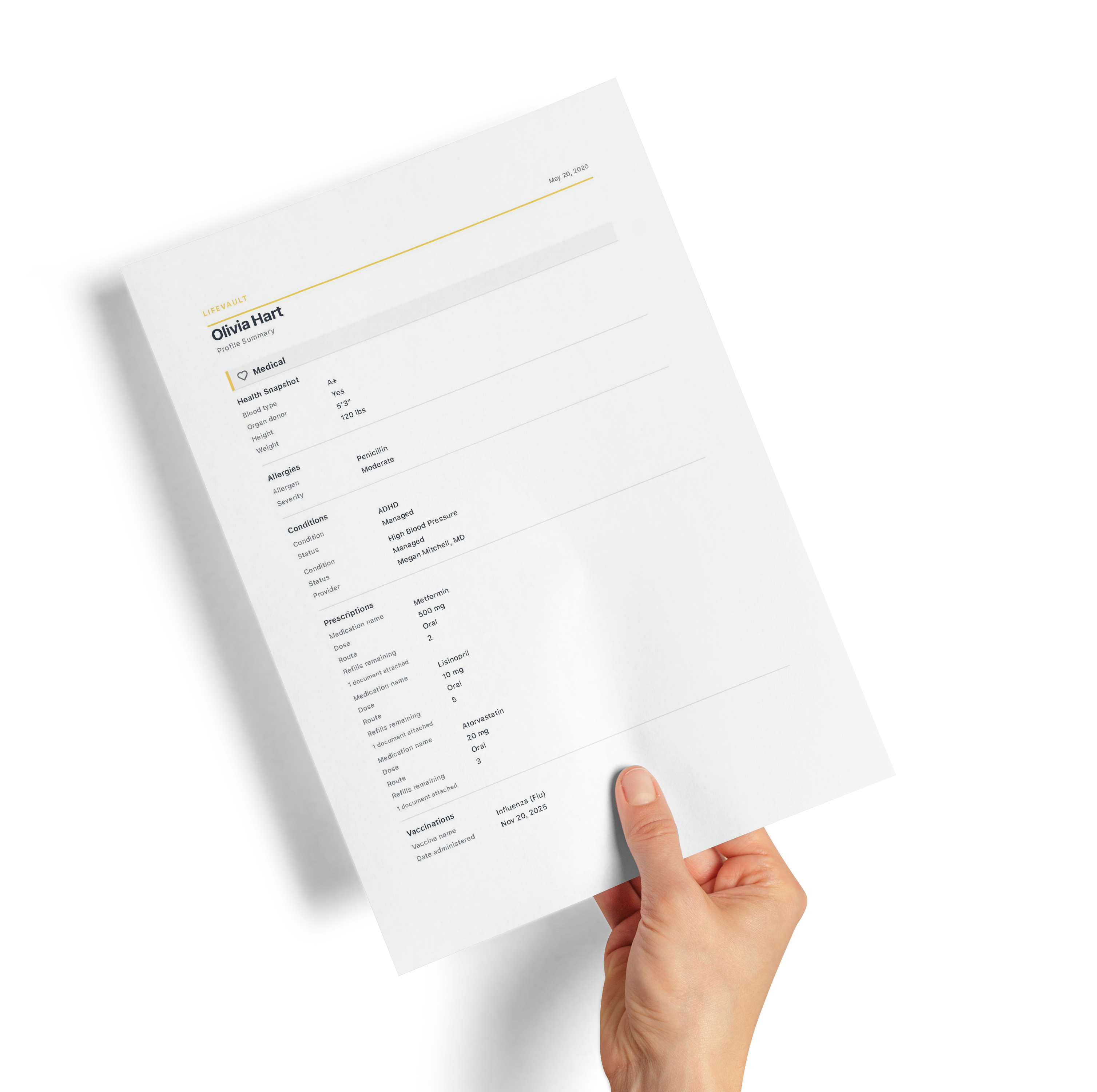
Generated LifeVault PDF profile summary showing selected sections ready to share
90+ record types

Organize the important documents your family needs.

LifeVault isn't a generic file folder. Every record type has purpose-built fields — so your family's information is structured, searchable, and ready to share.

Medical records

Prescriptions, allergies, vaccination records, lab results, medical history, specialist contacts, and medication lists.

Insurance & identification

Health insurance cards, dental and vision plans, driver's licenses, passports, birth certificates, and Social Security information.

Pet records

Vaccination records, medications, vet contacts, microchip numbers, feeding schedules, and behavioral notes for every pet.

Emergency information

Emergency contacts, advance directives, powers of attorney, allergies, medications, and caregiver instructions.

Household & property

Home details, access codes, wifi passwords, warranties, vehicle information, utilities, and service contacts.

School & support

School contacts, pickup authorizations, accommodations, support guides, and caregiver instructions.

Questions about how it works

Common questions.

How does LifeVault organize documents?

Snap a photo of any document — an insurance card, prescription, vaccination record, passport, or birth certificate — and LifeVault reads it using on-device document recognition. It extracts names, dates, dosages, policy numbers, and other key information, then organizes those values into structured, searchable fields linked to the right family member or pet.

Does LifeVault use OCR to read documents?

Yes. LifeVault uses on-device document recognition to extract text and data from photos of documents. Everything happens locally on your phone — no images are sent to external servers. It works offline, so you can scan and organize documents even without an internet connection.

Can I edit information after scanning?

Absolutely. After LifeVault extracts the fields, you can review and edit every value before saving. You stay in full control of your information. The extraction is a starting point that saves you from manual data entry — not a locked result.

Does LifeVault organize medical and pet records automatically?

Yes. LifeVault understands over 90 record types — from prescriptions and insurance cards to pet vaccination records and vehicle registrations. Each record type has purpose-built fields, so your information is organized the way it needs to be, not dumped into a generic folder.

Ready to get organized?

LifeVault is in public beta on iOS. Start organizing your family's important documents, medical records, and emergency information today.